
The Convenience That Comes With a Security Cost
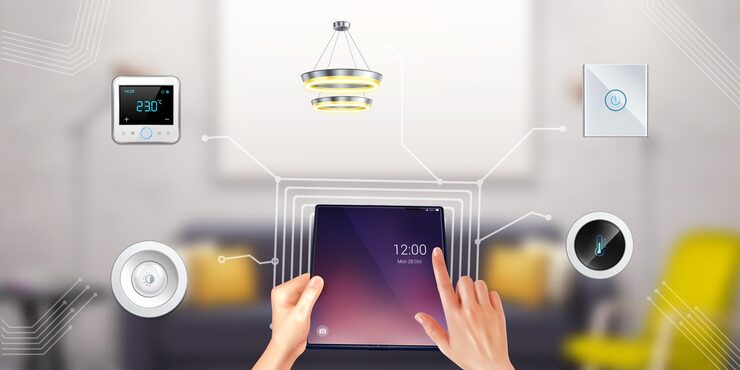
Smart home devices — the connected thermostats, security cameras, doorbells, smart speakers, light switches, robot vacuums, and appliances that populate modern homes — have proliferated faster than the security practices that should accompany them. An average connected home in 2026 has 15–20 IoT devices, most of them running embedded software that receives less security attention than the phones and laptops the household is more aware of, from manufacturers whose primary expertise is in the device’s physical function rather than in network security.
IoT devices have been found running outdated Linux kernels with unpatched vulnerabilities, using hard-coded default credentials that can’t be changed, communicating over unencrypted connections, and in some cases serving as persistent footholds for attackers who’ve been quietly present on a home network for months. The smart home’s security posture is determined by the weakest link in its connected device ecosystem, and that weakest link is often a device the homeowner thinks of as a convenience appliance rather than a networked computer.
The Most Common IoT Security Failures
Default credentials left unchanged: many IoT devices ship with documented default usernames and passwords (‘admin/admin’, ‘admin/1234’) that are published in manufacturer manuals and indexed by search engines. Attackers use automated scanners that probe network-exposed devices for these credentials. Changing the admin password on every device that allows it is the single most impactful immediate security improvement for most smart home setups.
Firmware that’s never updated: IoT device manufacturers release firmware updates that patch known vulnerabilities, but unlike phones and computers, most IoT devices don’t update automatically by default, and many users don’t know firmware updates exist for their smart thermostat or security camera. Check the manufacturer’s app or web interface for each device to see whether a firmware update mechanism exists and enable automatic updates where available.
Network Segmentation: The Architecture That Contains Risk
Network segmentation — keeping IoT devices on a separate network from computers, phones, and tablets — is the structural defense that contains the damage when an IoT device is compromised. An attacker who gains control of a smart vacuum cleaner on a segmented IoT network has access to that device and its network segment; they don’t have access to the laptop on the main network with corporate credentials and sensitive files.
The guest network feature available on most modern routers (covered in the router security article of Vol. 1) provides basic IoT network segmentation: put all smart home devices on the guest network, which can access the internet but is isolated from the main network where your computers and phones live. This isolation takes five minutes to configure and meaningfully limits the potential impact of any single IoT device compromise.
Smart Cameras and Doorbells: The Privacy-First Assessment
Internet-connected security cameras and doorbells require particular attention because a compromised camera is both a network vulnerability and a privacy one. Cameras inside the home that are accessible to an attacker provide real-time video of the home’s interior — a qualitatively different privacy violation from a compromised smart lightbulb. The security practices for cameras: buy from established manufacturers with a track record of security response rather than the cheapest available option, change default credentials immediately, enable two-factor authentication on the camera’s cloud account, and review what cloud footage storage the camera uses and what that provider’s data practices are.
The option that eliminates cloud access risk entirely: local-only NVR (network video recorder) systems that store footage locally without any cloud upload. Products like the Reolink series with local storage options, Amcrest systems, or Frigate running on a home server provide full video surveillance capability without any footage leaving the home network. The trade-off is that remote access (viewing footage from outside the home network) requires additional configuration, and alerts may be less seamlessly delivered.
The Maintenance Habit That Matters Most
The IoT security practice that produces the most sustained improvement: quarterly review of connected devices. Pull up the connected device list in your router (every device on your network is visible there) and compare against the devices you actually own. An unknown device is worth investigating — it may be a guest’s device that connected months ago, a device you forgot about, or an unauthorized access. Delete stale devices from the network’s device list and identify and address anything you don’t recognize.
During this quarterly review, check for firmware updates on each device, verify that default credentials have been changed on everything (the initial setup rush often leaves this incomplete), and assess whether any device has been discontinued by its manufacturer and no longer receives security updates. A device that’s no longer supported is a permanently unpatched vulnerability on your network and should be evaluated for replacement or network isolation.